
Getting started
Getting Started: from registering and installing bblx to your first translation on a local network.
Before you begin
Prepare a computer, a stable internet connection, a speech source, and headphones. Downloading is free and requires no sign-in; translation itself requires an account and hours on your balance. Listeners only need a phone browser and the same local network as the operator's computer.
1. Install the app
Open the download page and choose the published installer for your system. On macOS, open the .pkg, then launch bblx from «Applications». On Windows, run the .exe and follow the installer; it may need internet access to install WebView2. Check the same page for a Linux build. No development tools are required.
2. Connect your account
Register with a passkey or email and password. For email registration, complete verification with the code in the message. New accounts have a zero balance: open «Translation hours» in the dashboard and buy the amount you need.
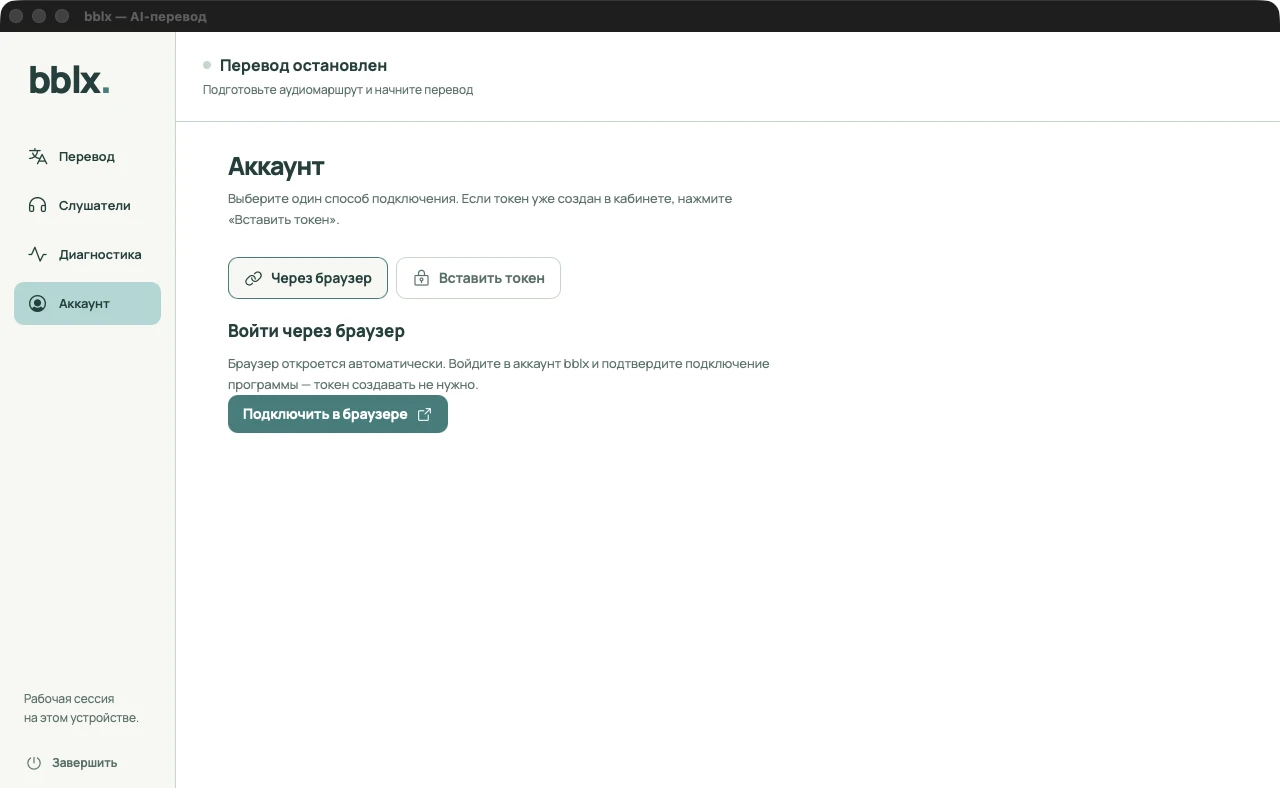
In the app, open «Аккаунт» and click «Подключить в браузере». A website opens with the device code filled in. Sign in, review the request, and confirm the connection. Return to the app. You do not need to create a token manually for this method.
3. Check your audio
Go to «Перевод». Choose «Источник звука», the translation language, and the output device. Start with a microphone and headphones; for a stage, use the mixing console's audio output through a sound card. Click «Проверить микрофон» (for app audio, «Проверить вход»), allow OS access, and say a normal sentence. Make sure the input meter responds, then finish the check. This local check does not consume hours.
4. Make your first translation
Click «Начать перевод» and say, for example: «Welcome. The next talk will begin in five minutes». Check the translation in your headphones, the selected language, and that there is no echo. Do not expect a fixed delay: it depends on the language, acoustics, and connection.
For an audience, configure listeners on the local network. When finished, click stop and confirm. Wait for the «Перевод остановлен» status. Connecting an account does not start a paid session, and silence during an active translation does not replace stopping it.
A five-minute trial with one language requires about 5 minutes of balance. Each additional language enabled at the same time consumes time separately. Learn more about hours
Screenshots show the Russian-language app interface